
- Contact us
contactos@publinet.com


 November 4, 2024
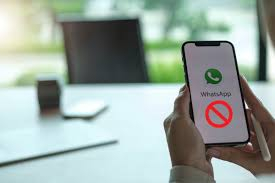
In a world where WhatsApp and social media are the great connector between human beings, the uncertainty of a block can raise many questions: How do I know if I've been blocked on WhatsApp? If you're blocked on WhatsApp, do you see if someone is online? Although the application does not explicitly notify you when this happens, there are certain signs that, when put together like pieces of a puzzle, can give you an answer.
Below, we explain how to interpret them to clear up any doubts without resorting to conspiracy theories or far-fetched tricks, always keeping in mind that there are privacy settings that allow you to hide some 'features' that have everything in common with a block. We bring you 5 actions that allow you to know if you have been blocked on WhatsApp:
1. The "last seen" or "online" trick, the first sign of suspicion that you have been blocked on WhatsApp
One of the most obvious indicators of a possible block is the disappearance of the "last seen" or "online" status in the chat window. If you can't see when the other person was active, you might think something fishy is going on. Of course, this isn't definitive proof, as there are privacy settings that allow you to hide this information. However, if you used to see that status and now you don't, you have your first clue.
2. Profile picture and status: if they had one before and now they don't… you may have been blocked on WhatsApp
The profile picture is another pretty telling indicator. If you used to see their picture or status and suddenly it's gone, you may have been blocked. When someone applies this restriction, WhatsApp stops showing their photo and status to whoever they're blocking, which can be a subtle but effective way to limit eye contact. Again, this could be due to privacy settings, but when combined with other elements, the suspicion is strengthened.
3. Messages in "a single grey tick"
WhatsApp has a message verification system that is as basic as it is useful: the first tick indicates that the message has been sent and the second that it has been received. If when you talk to them only one tick remains without the second tick appearing, the message did not reach the recipient. When someone blocks you, your messages remain in that “sent” state without being “received”, since WhatsApp servers cannot deliver them to the person who blocked you.
4. WhatsApp calls, the last attempt
Another way to check if you have been blocked is to make a voice or video call through the app. If the call does not connect or ring, this could confirm your suspicions. When you block someone, not only messages but also calls are blocked, making it impossible for you to establish contact. Again, it is not foolproof, since the person could be offline or having network problems, but it is again a good indication.
5. Add them to a group: the definitive test to know if someone has blocked you on WhatsApp
If you still have doubts, the next step may be a little more invasive, but it is quite conclusive. Try creating a group and inviting that person. If you get a message saying that the contact could not be added, you can take this as confirmation that you have been blocked. WhatsApp does not allow you to add someone who has blocked you to a group, so this is a safe step if the previous steps still left you in doubt.
What to do if you have been blocked on WhatsApp?
If you come to the conclusion that you have been blocked, perhaps the best decision is to respect the distance and avoid other forms of forced contact. It can be difficult, but it is important to understand that sometimes people have reasons for setting boundaries, and respecting them is also a sign of respect.
Although WhatsApp does not have an official notification for blocks, these methods offer fairly accurate clues. In any case, it is always advisable to act calmly and respectfully, without obsessing over the idea. Sometimes, a pause in communication is simply that: a pause.

The European Commission has fined Temu €200 million after confirming that the company “failed to diligently identify, analyze, and assess the systemic risks of illegal products offered on its platform and the resulting harm to consumers in the European Union....
Leer más...
Amazon has announced the expansion of Ads Agent in Spain, its technology designed to simplify the management and tracking of advertising campaigns. This tool, previously only available on Amazon Marketing Cloud (AMC), its campaign analytics platform, is now integrated i...
Leer más...
Although this option was already available in countries like the United States, it has only recently arrived in our country. Now you can change your Google email address. So, if you had a compromising email like tumorenito19@gmail.com, you can now change it and use it...

Once again, Mosseri has given us a gift. Not long ago, we told you that Instagram's statistics had changed a bit, and personally, I have to say that I sometimes struggle to understand them. Apparently, I'm not the only one, because the platform's CEO has mad...

What types of subscriptions will Meta offer? Although Meta has confirmed that they will add more features in the future, in general, all Meta apps will have their own subscription version. Instagram Plus As we previously mentioned, Instagram Plus will include features s...